Disposition lifecycle
A disposition case keeps evaluation, authority, and closing traceable without changing the underlying tract history prematurely.
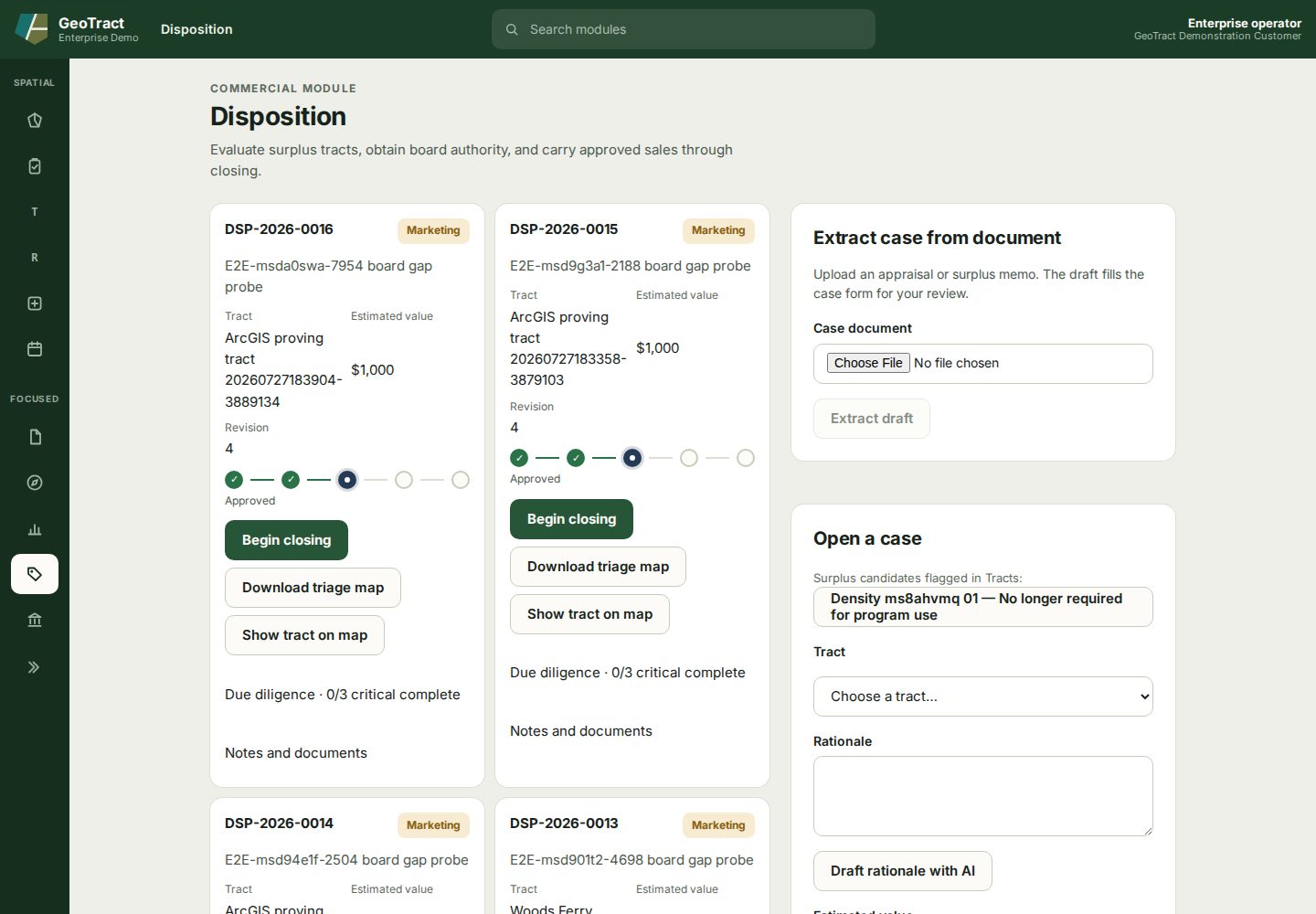
Open and evaluate a case
- Confirm the tract has an approved surplus judgment and reason.
- Open Disposition and check for an existing case.
- In Open a case, select the eligible tract, enter the estimated value and rationale, then create the case. If permitted, Extract case from document can turn an uploaded appraisal, request, or survey into a draft for review.
- Use Show tract on map and Download triage map to verify context.
- Complete the required diligence and attach evidence under Notes and documents.
Authority, closing, and outcome
The tracker moves through Evaluate → Board authority → Approved → Closing → Closed. Refer the matter only after its evaluation is complete. Record the official board decision through the board workflow; a recommendation is not authority.
For an approved case, select Begin closing, record the required transaction evidence, and close only when the transaction and land records agree. Record declined, deferred, or withdrawn outcomes rather than deleting the case.